
01
アカウント不要
登録を挟まずに、拡張機能を入れたらすぐ仕事用テキストを保存できます。
ブラウザー横の作業スペース
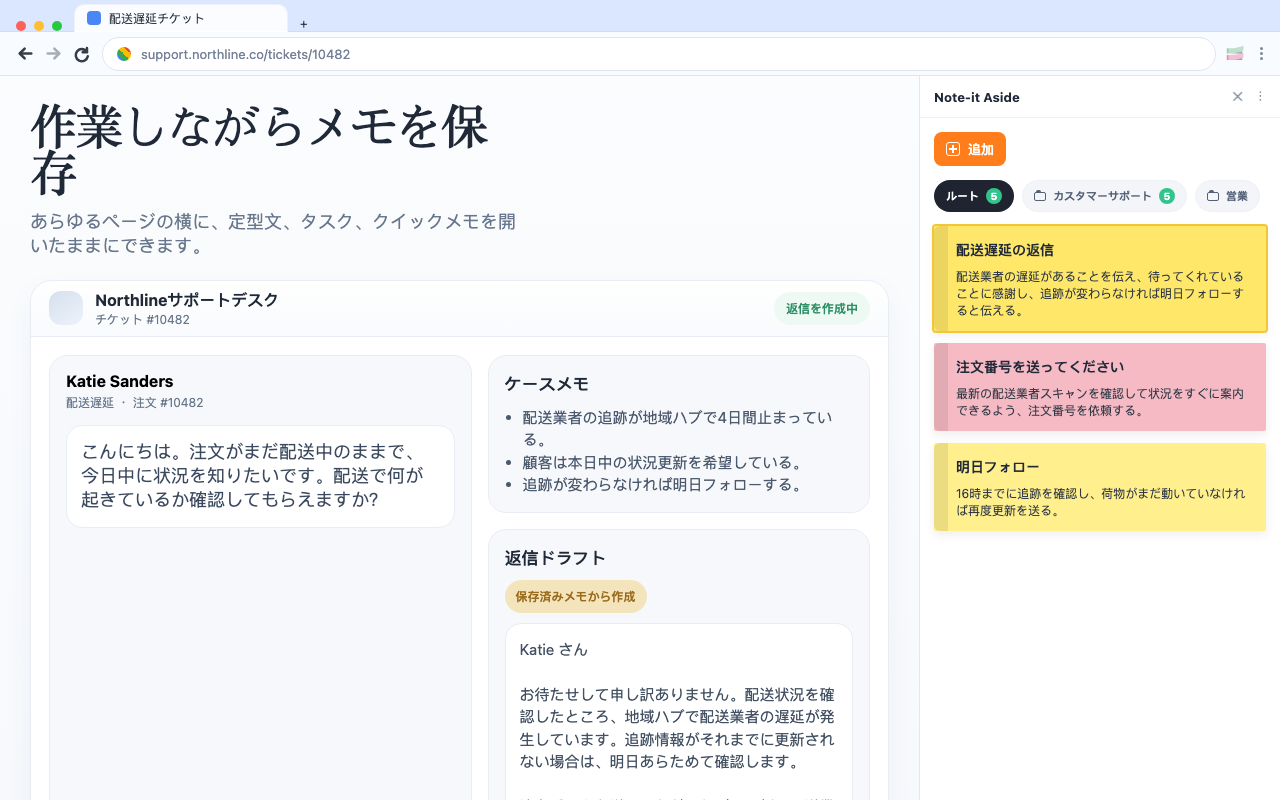
Note-it Aside は、スニペット、簡単なタスク、再利用できる返信を今見ているページの横に保ちます。
サポート、営業、ECのワークフロー向け。
実際の作業画面で拡張機能を見る。
保存、整理、再利用、共有、バックアップを、ブラウザーの流れを崩さずに行えます。
使いやすい理由
01
登録を挟まずに、拡張機能を入れたらすぐ仕事用テキストを保存できます。
02
まずはブラウザー内に保存し、共有やバックアップは必要なときだけ使えます。
03
ページの横に残るので、作業中もメモやスニペットが見えたままです。
Localized screenshots
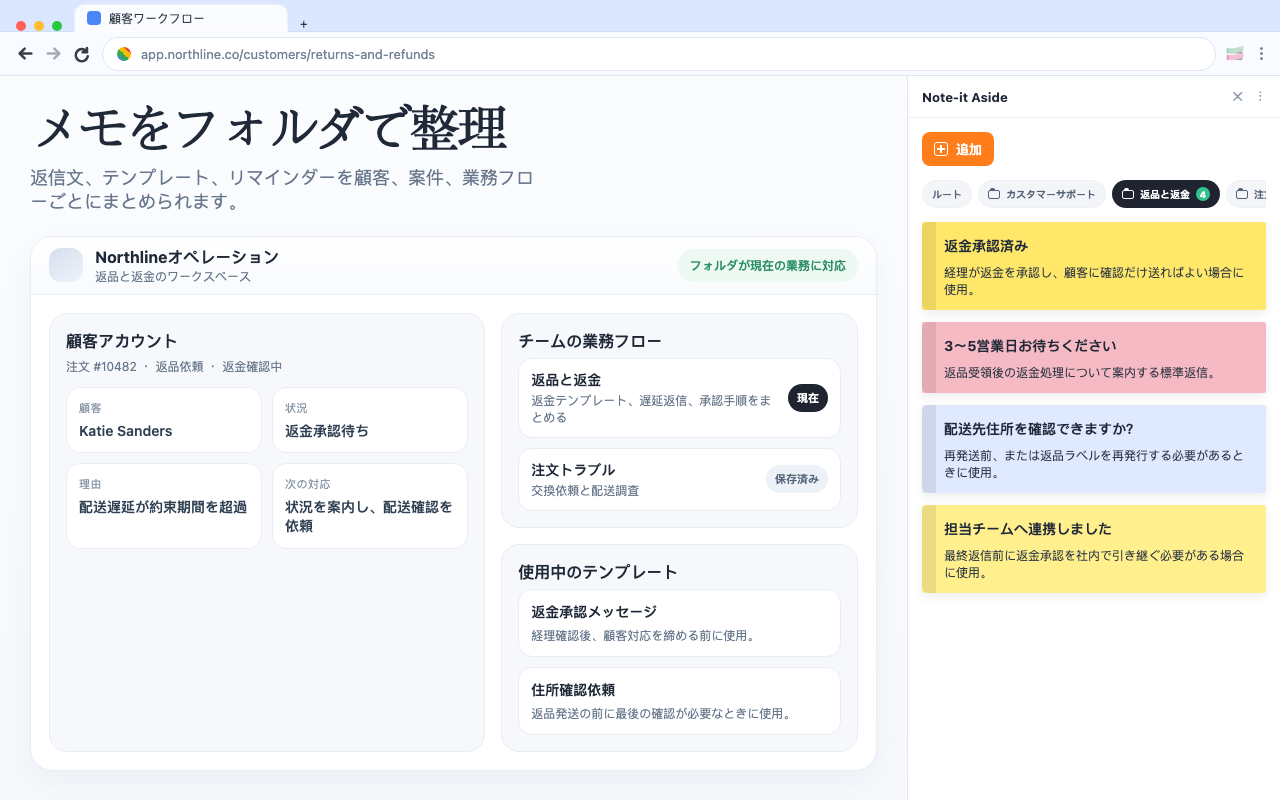
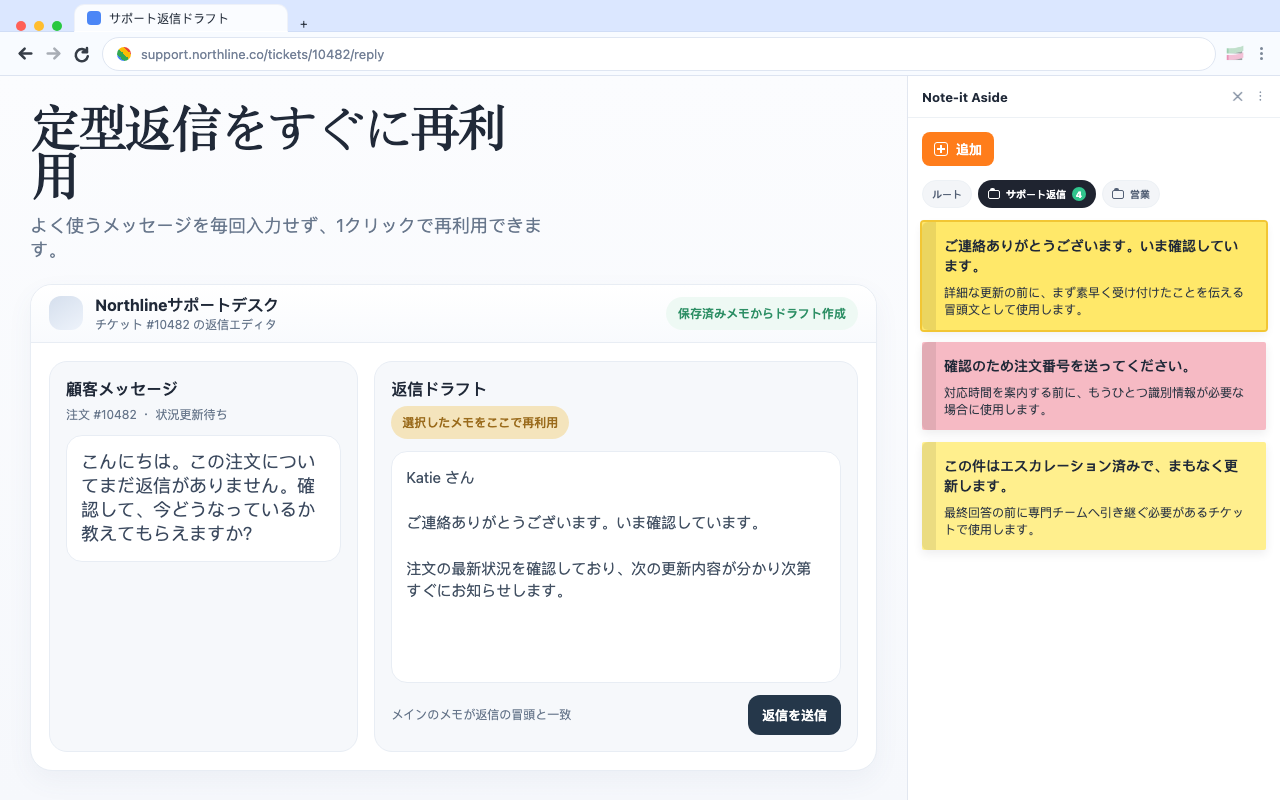
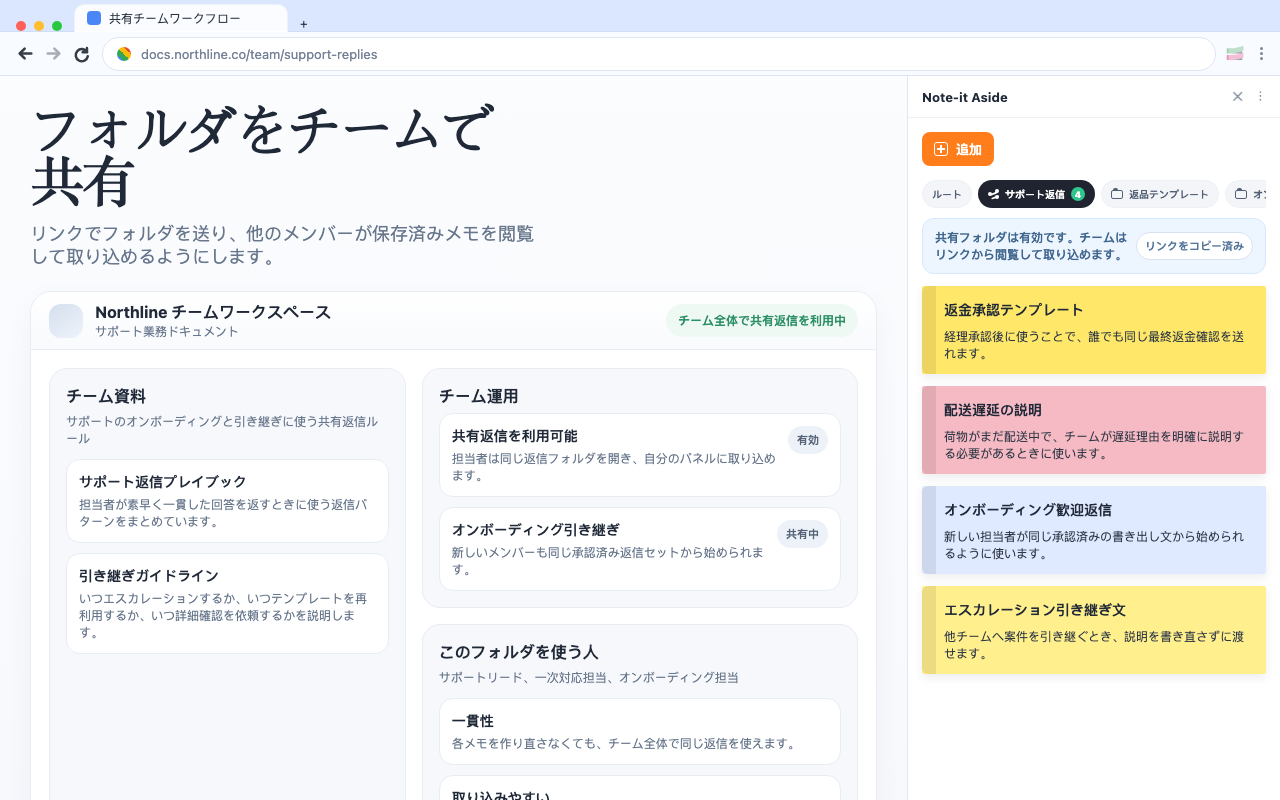
保存、整理、再利用、共有、バックアップを、ブラウザーの流れを崩さずに行えます。
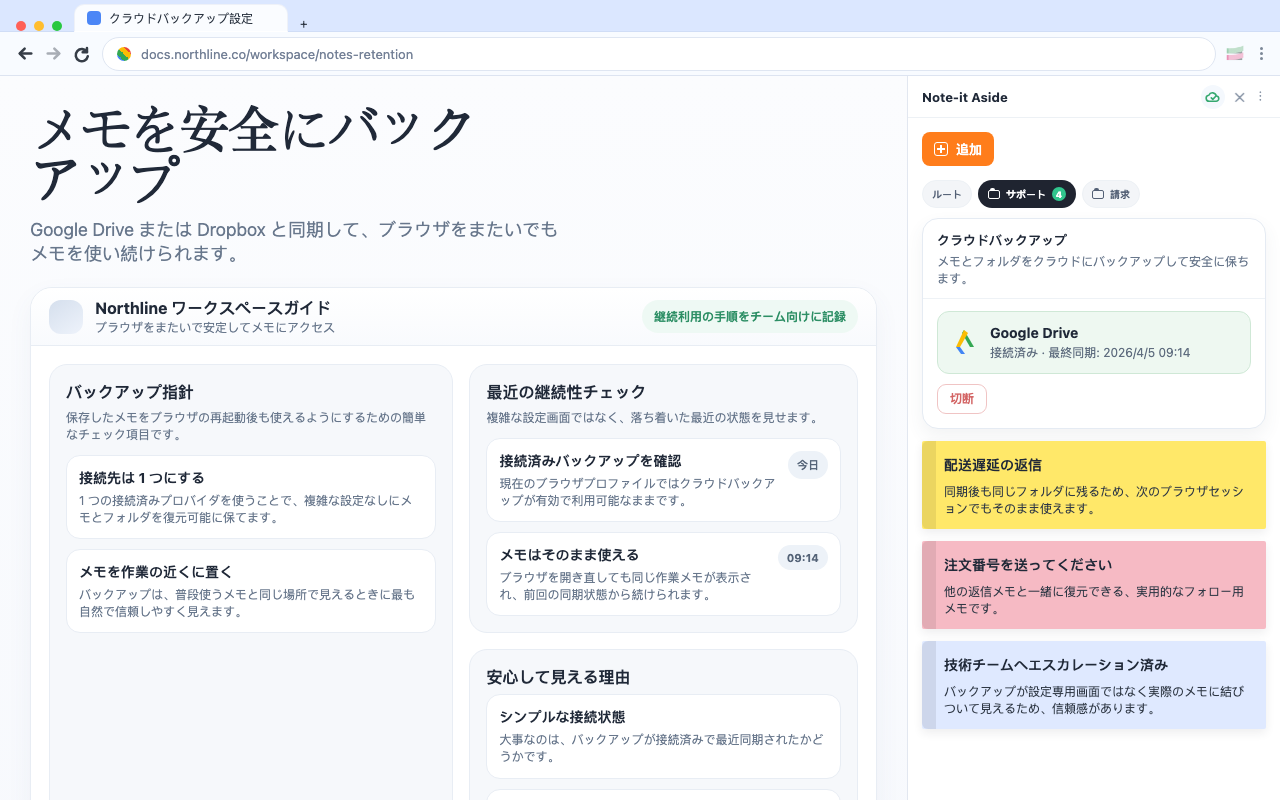
役割から選ぶ
同じ拡張機能でも、サポート、営業、EC業務では使い方の重心が変わります。
Comparison
If your team mainly needs reusable replies, quick notes, and foldered snippets beside the page, a lighter browser-side setup can be enough.
Customer support
Support work gets faster when the replies you use every day stay visible beside the ticket instead of buried in docs or old tabs.
E-commerce
For many store teams, the best workflow is not a big help desk layer. It is a clean side panel with the replies and notes you need right beside the admin.
Ver 0.1
Keep notes open beside any webpage
Group text into folders by workflow
Reuse repeated replies quickly
Share and back up important collections